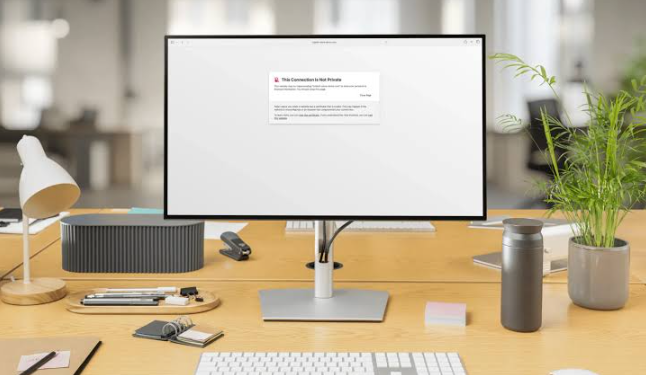
WP Force SSL is useful when a WordPress site needs HTTPS enforced, checked, and watched without stitching together three separate tools. It helps site owners confirm that SSL is working, redirect visitors to secure URLs, and spot certificate or mixed content issues before they hurt trust. HTTPS also affects how visitors judge a site, since modern browsers warn users about unsafe connections, and Google tracks HTTPS adoption across web traffic.
TLDR: WP Force SSL helps WordPress admins force HTTPS, test SSL status, scan for insecure content, and monitor certificate problems from one dashboard. For example, a small store with 42 product pages could use it to redirect every HTTP visit to HTTPS, then scan pages for old image URLs still loading over HTTP. If even 3% of checkout visitors see a browser warning, that can mean lost sales and support tickets. The plugin reduces that risk by making SSL status easier to see and fix.
What WP Force SSL Actually Does
WP Force SSL is built around a simple goal: make WordPress use HTTPS correctly. That sounds easy until a site has old links, cached pages, third-party scripts, or a hosting setup that handles SSL in a strange way. Honestly, it feels like SSL should be a one-click job by now, but one bad image URL can still trigger a browser warning.
The plugin focuses on three main areas:
- SSL checks to confirm that the certificate and HTTPS setup work.
- HTTPS redirects to push visitors and search engines to secure URLs.
- Security monitoring to watch for errors, expiry risks, and unsafe content.
For a WordPress admin, that means fewer manual tests and fewer surprises after a certificate renewal, migration, or domain change.
See also: Wedding Suite Packages: Planning a Memorable Start to Married Life
SSL Checks: Finding Problems Before Visitors Do
The SSL check feature helps confirm whether a site has a valid SSL certificate and whether HTTPS is active. It can flag common issues such as an expired certificate, a missing certificate, a domain mismatch, or a server that does not respond correctly over HTTPS.
This matters because SSL errors are not subtle. A visitor may see a full-page warning before the site even loads. That warning can make a normal blog look careless and make an online store look unsafe.
Useful SSL checks may include:
- Certificate validity: Confirms that the certificate is active and trusted.
- Expiry status: Shows if renewal is needed soon.
- Domain matching: Checks whether the certificate matches the site domain.
- HTTPS response: Tests whether secure pages load as expected.
- Protocol status: Helps confirm that insecure HTTP is not the main version of the site.
The catch is that hosting panels do not always show the full story. A certificate may appear active in the hosting dashboard while WordPress still loads assets over HTTP. WP Force SSL gives site owners a more WordPress-focused view of the problem.
HTTPS Redirects: Sending Every Visitor to the Secure Version
HTTPS redirects are one of the most useful features in WP Force SSL. They make sure visitors who type or click an old http:// link are sent to the https:// version instead.
Without redirects, a site may have two versions available at once. One secure. One not secure. That can confuse visitors, analytics tools, and search engines. It can also cause duplicate URL problems.
WP Force SSL can help apply redirects without forcing the admin to edit server rules by hand. That is helpful because one typo in a configuration file can break a site. Expect to waste time on support chats if redirects are handled manually on a site with caching, a CDN, and multiple plugins.
A clean redirect setup should:
- Send all HTTP traffic to HTTPS.
- Preserve the same page path after the redirect.
- Avoid redirect loops.
- Work with WordPress permalinks.
- Keep admin pages secure.
For example, http://example.com/contact should become https://example.com/contact, not just send every visitor to the homepage. That small detail affects user experience and tracking accuracy.
Mixed Content Scanning: The Hidden SSL Problem
Mixed content happens when the main page loads over HTTPS, but some files still load over HTTP. These files can include images, scripts, stylesheets, fonts, videos, or embedded content.
This is one of the most common SSL problems on older WordPress sites. A site may look secure at first, then show a warning because the logo, background image, or tracking script uses an old insecure URL.
WP Force SSL can help detect these weak spots. A scan may show which pages or resources still use HTTP. That gives the admin a focused repair list instead of forcing them to check every page manually.
Common mixed content sources include:
- Old media library image URLs.
- Hardcoded links in page builders.
- Theme files with fixed HTTP paths.
- Plugin settings saved before SSL was added.
- External scripts from outdated services.
This feature is especially useful after a migration from staging to live hosting, or after switching from a non-SSL domain to a secured one.
Security Monitoring: Watching SSL Health Over Time
SSL is not a set-and-forget item. Certificates expire. DNS changes. Hosting settings get reset. A CDN can be misconfigured. A plugin update can introduce insecure content. WP Force SSL monitoring helps catch these problems before they sit unnoticed for days.
Security monitoring may include status alerts, dashboard warnings, and checks that show whether the SSL setup is still healthy. The value is simple: the admin does not need to remember to test the site every week.
For client sites, this can save real time. An agency managing 20 WordPress installs does not want to open each homepage, test checkout pages, and inspect browser warnings by hand. A central SSL status view can cut that routine from an hour to a few minutes.
Why These Features Matter for SEO and User Trust
HTTPS is expected now. Visitors notice when it is missing. Browsers make warnings highly visible, especially on login forms and checkout pages. Search engines also prefer secure access because it protects users and keeps page data safer in transit.
For WordPress sites, the gains are practical:
- Cleaner URLs: One secure version of each page is easier to track.
- Better trust: Visitors see the browser lock instead of a warning.
- Safer logins: Admin and user credentials are sent over encrypted connections.
- Fewer support issues: Customers are less likely to report security popups.
- Lower repair time: SSL errors are easier to find from one plugin screen.
Best Use Cases for WP Force SSL
WP Force SSL fits several common WordPress situations. It is useful for a new site launching with SSL, but it can be even more useful for older sites that switched to HTTPS later.
Strong use cases include:
- WooCommerce stores that need secure checkout and account pages.
- Membership sites where login security matters.
- Blogs with old content containing hardcoded HTTP image links.
- Agency-managed sites that need repeatable SSL checks.
- Sites after migration where URLs, redirects, or certificates may have changed.
Practical Setup Tips
Before activating HTTPS enforcement, the site owner should confirm that the SSL certificate is installed correctly on the hosting account. After that, WP Force SSL can be used to test the setup, enable redirects, and scan for mixed content.
A sensible process looks like this:
- Back up the WordPress site.
- Confirm that the SSL certificate is valid.
- Enable HTTPS redirects in WP Force SSL.
- Run an SSL and mixed content scan.
- Clear site, server, and CDN caches.
- Test key pages such as homepage, login, cart, and checkout.
This order keeps the process controlled. It also makes it easier to spot the exact step that caused trouble if something behaves badly.
FAQ
What is WP Force SSL used for?
WP Force SSL is used to force HTTPS on WordPress sites, check SSL certificate status, detect mixed content, and monitor SSL-related issues.
Does WP Force SSL install an SSL certificate?
Usually, the certificate is installed through the hosting provider. WP Force SSL helps WordPress use that certificate correctly and checks whether it works.
Can HTTPS redirects hurt a site?
Proper redirects help a site. Bad redirects can cause loops or send users to the wrong page. That is why testing after activation matters.
What is mixed content?
Mixed content means an HTTPS page loads one or more files over HTTP. This can trigger browser warnings and reduce trust.
Is WP Force SSL useful for WooCommerce?
Yes. WooCommerce stores need secure checkout, login, and account pages. SSL checks and redirects help protect those critical paths.
How often should SSL status be checked?
SSL status should be checked after migrations, domain changes, hosting changes, plugin updates, and before certificate expiry. Monitoring makes this easier.